
Pinterest scheduling that runs itself
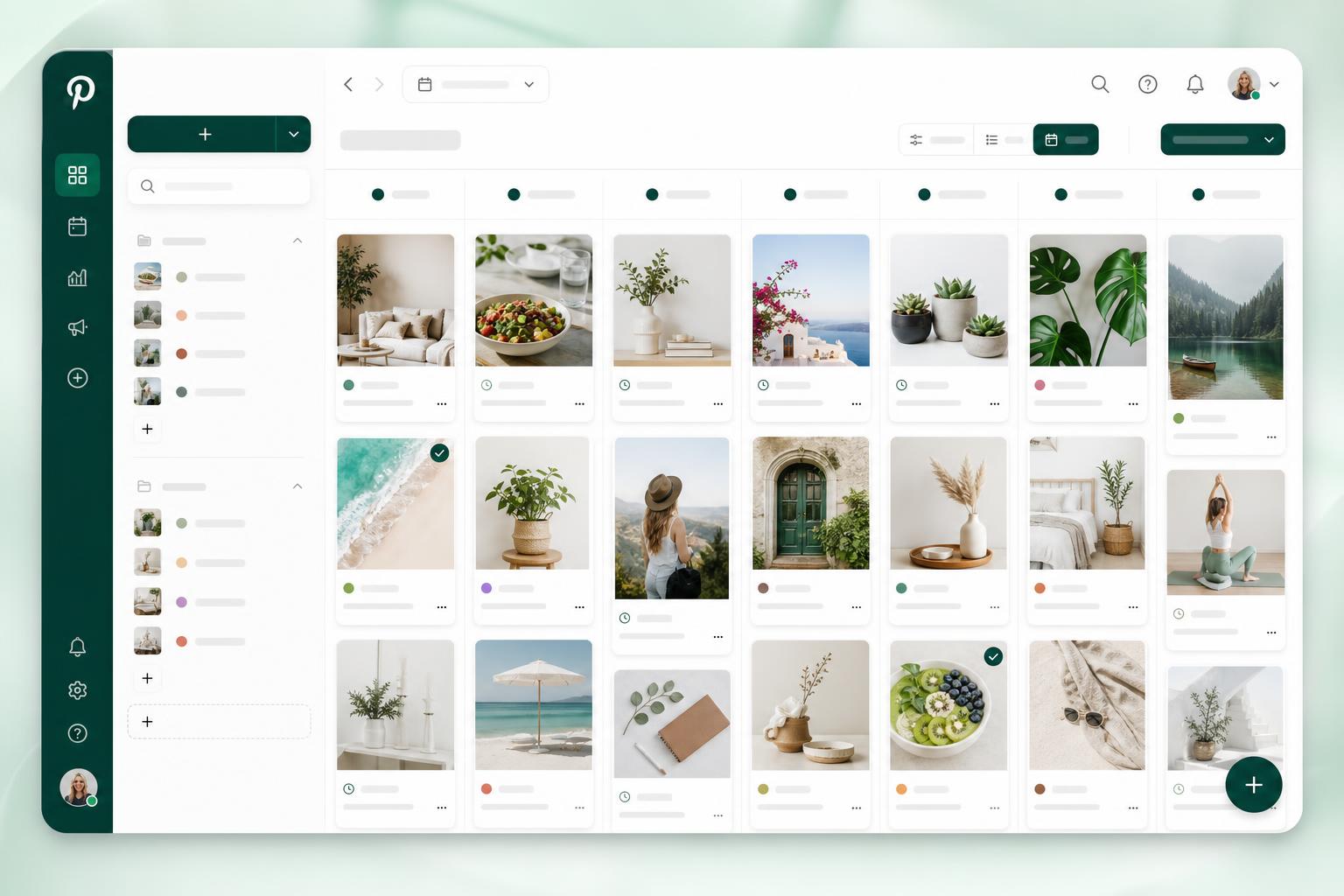
Upload pins from a spreadsheet, sort them into buckets, lock in a weekly rhythm, and watch Pin Publisher post for weeks on its own. Cycle evergreen content, run multiple accounts, and stop missing posting windows.
Permanent free tier · No card needed · Pinterest connects in one tap
Why this exists
Pinterest pays off consistency. Most schedulers make it painful.
Everyone tells you to pin daily — but lining up pins by hand is a slog, tracking spreadsheets get messy, and most tools quietly expect you to rebuild the same schedule week after week.
- Import an entire spreadsheet at once — no row-by-row typing
- Save a plan once and the next weeks of slots fill themselves
- Quietly recycle older pins so the queue keeps producing
- Manage every Pinterest account from a single, tidy workspace
A whole month of steady pinning, planned in a single sitting.
Features
Everything a serious Pinterest workflow needs
Made for solo creators, marketing teams, and agencies juggling many boards across many accounts.
Spreadsheet & CSV uploads
Paste a Google Sheet or drop an XLSX and we'll line up every row as a draft pin — ready to review before it hits the queue.
Buckets that match how you think
Cluster pins by topic, season, board, or client. Each bucket runs on its own posting rhythm without bleeding into the others.
Repeating weekly cadence
Choose the days, times, and how many pins should fire in each slot. Pin Publisher rolls the schedule forward week after week.
Evergreen recycling
When a bucket starts running low, older pins quietly cycle back into rotation — so consistent posting never depends on fresh content.
Hands-off publishing
A background worker checks every minute for slots that are due and posts straight to Pinterest. No approvals, no babysitting.
All your accounts in one place
Add as many Pinterest profiles as you manage. Boards, buckets, plans, and history stay isolated per account.
Instant failure notices
If Pinterest pushes a pin back — bad image, expired token, rate limit — you'll see it right away with a one-tap retry.
Posting log & insights
Every publish is recorded with timestamps, boards, and outcomes so you can see exactly which buckets are pulling weight.
OAuth-only sign-in
Pin Publisher never touches your Pinterest password. Connect through Pinterest's own auth flow and revoke whenever you like.
How it works
Spreadsheet to scheduled in four simple moves
Link Pinterest
Tap once to authorize. Your boards sync over in seconds.
Bring your pins in
Drop a CSV or XLSX, or drag images straight into a bucket.
Set the rhythm
Choose days, times, and how many pins each slot should fire.
Let it run
Pin Publisher quietly posts on schedule for weeks ahead.
Who it's for
Made for people who take Pinterest seriously
Bloggers
Squeeze fresh traffic out of years-old posts by keeping every article in steady, recurring rotation across your top boards.
Agencies
Run every client account from a single workspace. Profiles, plans, and reporting stay neatly separated for each brand.
Creators & influencers
Spend one focused afternoon a month batching pins, then let the queue keep you visible the other 29 days.
E-commerce stores
Keep your full catalog in rotation, route each pin to the right board, and let bestsellers replay themselves automatically.
Side-by-side
How Pin Publisher stacks up
| Feature | Pin Publisher | Typical scheduler |
|---|---|---|
| Spreadsheet bulk upload | — | |
| Repeating weekly cadence | limited | |
| Automatic evergreen replay | — | |
| Many Pinterest accounts | paid only | |
| Bucket-style content groups | — | |
| Genuinely free to begin | trial only |
In their words
What users are saying
"One Sunday afternoon and I had a full quarter of pins lined up. Two months later my Pinterest traffic was the highest it's ever been."
Mira K.
Lifestyle blogger
"We juggle fourteen client Pinterest profiles in here. The bucket model lines up perfectly with how my team already plans content."
Devon P.
Social media agency
"The recycle setting is genuinely the feature that hooked me. My listings stay in rotation and I barely think about Pinterest anymore."
Sara L.
Etsy shop owner
Pricing
Free from day one — and staying that way.
Hook up Pinterest, spin up buckets, save your plans, and let the scheduler run — all on the free tier. No card, no countdown, no nagging upsells.
FAQ
Quick answers
Hand Pinterest over to the scheduler
Create your free account, link Pinterest, and you can have the first thirty pins lined up before your coffee goes cold.